

No one likes friction when communicating about foresight. That’s why this latest update focuses on something deceptively simple: making radar visualizations easier to read, present, and use in real situations.
Two small improvements, built directly from user feedback, now make a big difference in workshops, meetings, and decision-making moments. No setup. No configuration. Just smoother interaction when it matters most.
What’s new in radar visualizations
You can try out the following two new features immediately on our demo radar or with our own FIBRES radar.
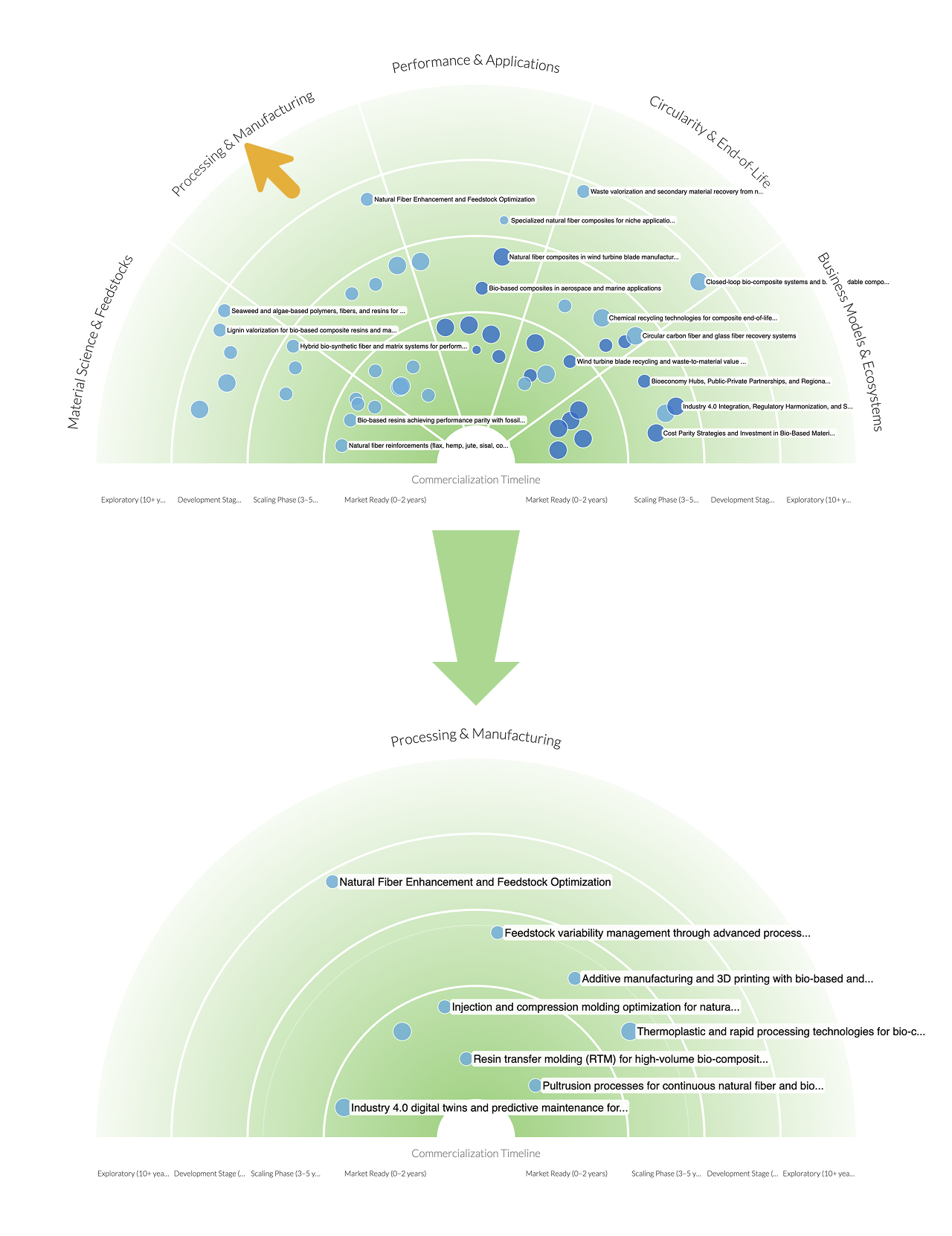
Focus on one sector or horizon
Click any sector or horizon label to expand it and temporarily hide everything else.
Click again to return to the full radar.
This creates a clean, focused view that helps teams zoom into what matters without losing the bigger picture.
Adjustable label font size
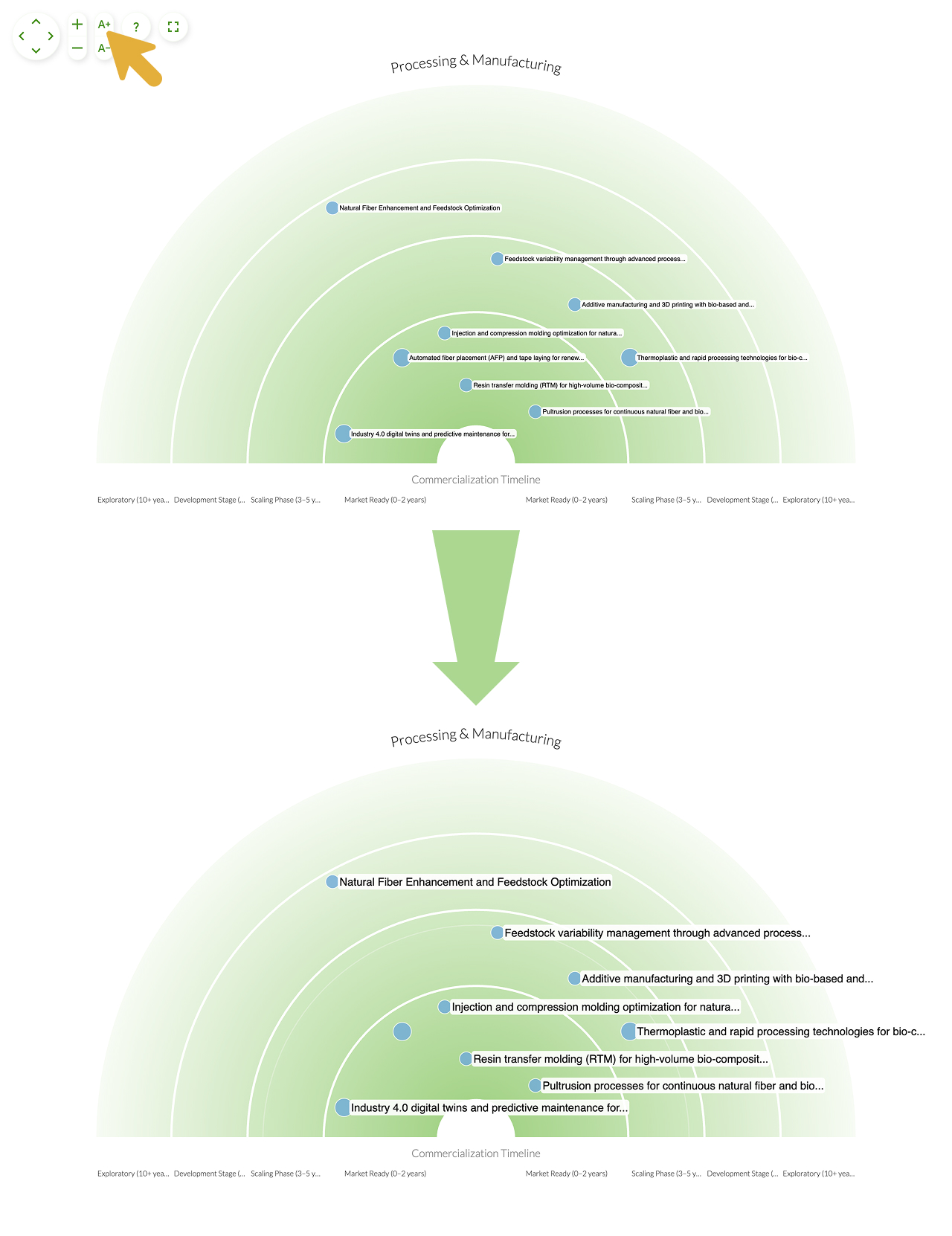
Radar labels can now be resized directly within the visualization. No more browser zoom that distorts everything else.
Use the A+ / A- on-screen buttons to scale labels up or down depending on the situation, whether presenting on a large screen or sharing remotely.
The small things matter in foresight work
Foresight is collaborative by nature, but clarity often breaks down in the moment if dense radars become unreadable in meetings or discussions drifts without a clear focal point. This update is designed to mitigate these issues. Now, radars adapt to the conversation instead of forcing the conversation to adapt to the radar.
With this update, we hope you're able to:
-
Run sharper workshops: focus on one sector or even one "cell" of your radar at a time to guide discussion
-
Improve executive briefings: enlarge labels for clarity in presentations and present sector-by-sector or horizon-by-horizon for a crystal clear narrative
-
Handle complex radars: make dense datasets readable instantly, whether you're presenting from the platform or your stakeholders are exploring an embedded radar
-
Enhance remote sessions: optimize visuals for screen sharing, webinars, and remote collaboration
Get more out of your radars
These improvements are part of a broader shift: turning radars into even more interactive tools for thinking and alignment. We hope to continue on this path and bring you more enhancements that make foresight work on radars even more seamless and delightful.
Small changes, real impact. That's what our continuous development is all about. We hope you explore the updated radar visualizations and let us know if it has an impact on the clarity of your foresight communication.